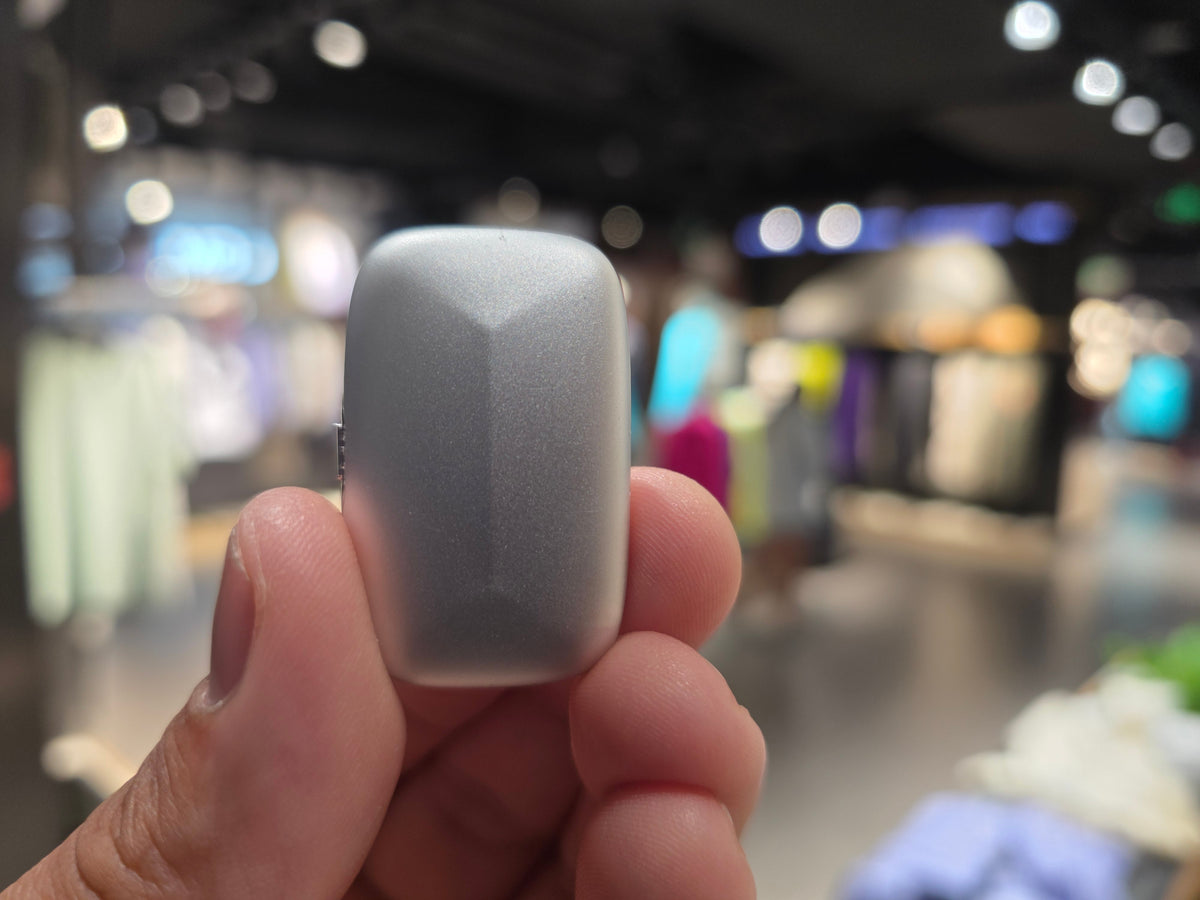
The first thing most people say when they see Memoket Gem: "Oh, it's like a note taker on your wrist." We get it. But that's not quite right, and the difference is actually the whole point.
Memoket Gem is a tiny AI wristband (just 11 grams, lighter than a few coins) that records your real-world conversations and turns them into something your AI tools can actually use. It's not a place where notes live. It's how your AI gets to know your world.
The Problem It Solves
Every AI Tool You Use Starts With Zero Memory
Open ChatGPT, Claude, or Gemini right now. They have no idea who you are, who you work with, what you decided in your last meeting, or what your doctor said at your last appointment. Every single session starts completely blank.
That means before you can ask a useful question, you have to spend time catching the AI up. Who's involved. What the context is. What was agreed before. Most people don't realize how much of their AI time gets eaten up just briefing the model before they can actually use it.
Memoket Gem Gives Your AI a Memory of Your Real Life
Here's how to think about it. Your AI tools are incredibly smart, but they live in a bubble. They know everything about the world, but nothing about your world. Memoket Gem bridges that gap.
You press a button to start recording, press it again to stop. A red LED stays on the whole time so everyone around you can see it's running. Then the Memoket app takes over: it transcribes the conversation in any of 153 languages, pulls out the key points and action items, and connects it to everything else you've recorded before. If this topic came up in a meeting three weeks ago, Gem finds that recording and links them together automatically.
The next time you open an AI tool, you don't have to explain what happened. Gem already did.
How It Works
Five Steps, Start to Finish

-
1Press to record One button press starts a recording. The red LED lights up so everyone can see it's on. Press once more when you're done.
-
2Sync to the app When Gem connects to your phone over Bluetooth, recordings upload on their own. Wi-Fi Fast Transfer handles longer files in seconds.
-
3Pick your output The app generates a Brief, a Summary, a One-Pager, or a full Transcript. Grab whichever one you need.
-
4Let memory do the work If this topic came up before, Gem finds that earlier recording and surfaces it alongside your new one. No tagging, no searching, no trying to remember when it happened.
-
5Send it to your tools Push the context to ChatGPT, Claude, Notion, or Slack. Your AI now knows what actually happened, and you didn't have to type a word of it.
Real-World Examples
What People Actually Use It For
The quickest way to understand Gem is to see it in a real situation. Here are three.
Planning a Market Launch Across Multiple Conversations
When the Memoket team was planning the Japan launch, the strategy came together across weeks of calls: which PR partners to approach, how to structure the media event, how to align a team spread across time zones. Multiple people, multiple sessions, lots of decisions made along the way.

Instead of someone having to write up what was agreed after every call, Gem captured each session. The app's cross-conversation memory pulled all the threads together: the PR strategy, the event format, the timelines, the open questions. One brief, covering weeks of work.
A market launch plan that lived across weeks of conversations became one clear, actionable document the whole team could work from, with no one having to piece it together from memory.
Actually Understanding What the Doctor Said
Medical appointments are hard. The doctor speaks quickly, uses terminology you don't know, and by the time you're in the car you've already forgotten half of it. This is exactly why our co-founder Edo started using Gem with his mother at her appointments. With the doctor's permission, she records each visit.
Afterward, the Memoket app breaks it down: every medical term explained in plain language, the treatment plan clearly laid out, the follow-up questions she needs to ask next time. Nothing important gets lost in the stress of the moment.
Every appointment fully understood. Every instruction clearly remembered. A conversation that used to feel overwhelming becomes something she can refer back to and actually act on.
Remembering Everything Across a Six-Month Deal
Enterprise sales cycles are long. The same client, the same deal, across dozens of conversations spread over months. What was promised in March. What changed in April. Who said what in May. Most sales professionals try to patch this together from scattered notes, and things inevitably slip through the cracks.
A sales director working a major deal used Gem across every client conversation over six months: the first pitch, the technical review, the procurement call, the pricing negotiation. Twelve recordings, one client.
Before every meeting, Gem surfaced a brief covering every prior conversation with that client: what was agreed, what was still open, what had changed. She walked into every room knowing exactly where things stood. The deal closed.
Who It's For
Built for People Whose Work Runs on Conversations
Memoket Gem isn't for everyone. It's for people whose most important conversations happen in the real world, not just on a scheduled video call.
Your AI tools are only as useful as the context you give them. Gem is how you give them everything.
Common Questions
Things People Usually Want to Know
Pricing
One Price. No Surprises.
- Memoket Gem device in Moon Silver or Midnight Gray
- Your choice of Wristband or Apple Watch Co-Wear Band
- Charging Dock and Quick Start Guide
- Memoket Starter plan, free for life
- Ships within 3 business days
- 30-day returns, 12-month warranty
Included with every Gem at no extra cost, no credit card required, no expiry date. For most users, that covers everything they need.
The Clip and Lanyard Pendant are available separately.
Memoket Gem is in stock and shipping now. Every order goes out within 3 business days.
Order Memoket Gem — $199

